What's New in MDaemon 26.5
MDaemon 26.5 adds support for load balancers, a faster way for IMAP clients to move messages, and a refreshed Webmail theme. It also brings improvements to the ticketing system and Webmail security settings, plus the ability to brand the sign-in pages for Remote Administration and Webmail. Here is a closer look at what’s new.
PROXY Protocol Support - for Improved Support with Load Balancers
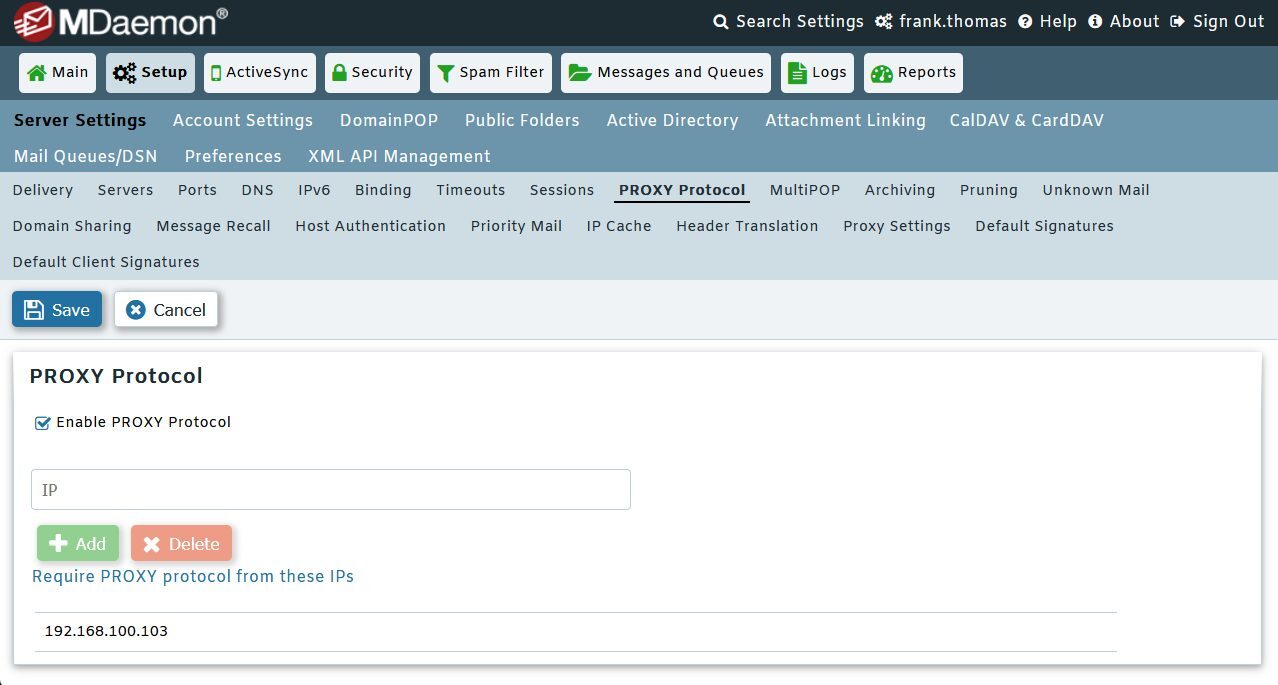
Administrators who run MDaemon behind HAProxy or a similar load balancer can now have MDaemon receive the original client IP address, instead of seeing only the address of the load balancer.
When PROXY Protocol is enabled, MDaemon expects every SMTP, POP, IMAP, HTTP, and XMPP connection from the load balancer's IP address to begin with a PROXY protocol header. The header must arrive immediately after the TCP connection is made, before any application or TLS data. The setting can be found in Remote Administration under Setup | Server Settings | PROXY Protocol.
Note: Only enable PROXY Protocol when MDaemon is running behind a load balancer or proxy that sends the header on every connection. Connections from that address will fail if the header is missing.
IMAP MOVE Command
MDaemon now supports the IMAP MOVE command, as defined in RFC 6851. IMAP clients that support the command can move messages directly between folders in a single operation, instead of copying each message and then deleting the original. This reduces the number of commands exchanged between the client and the server, which speeds up folder organization for supporting mail clients.
A Refreshed Webmail Theme
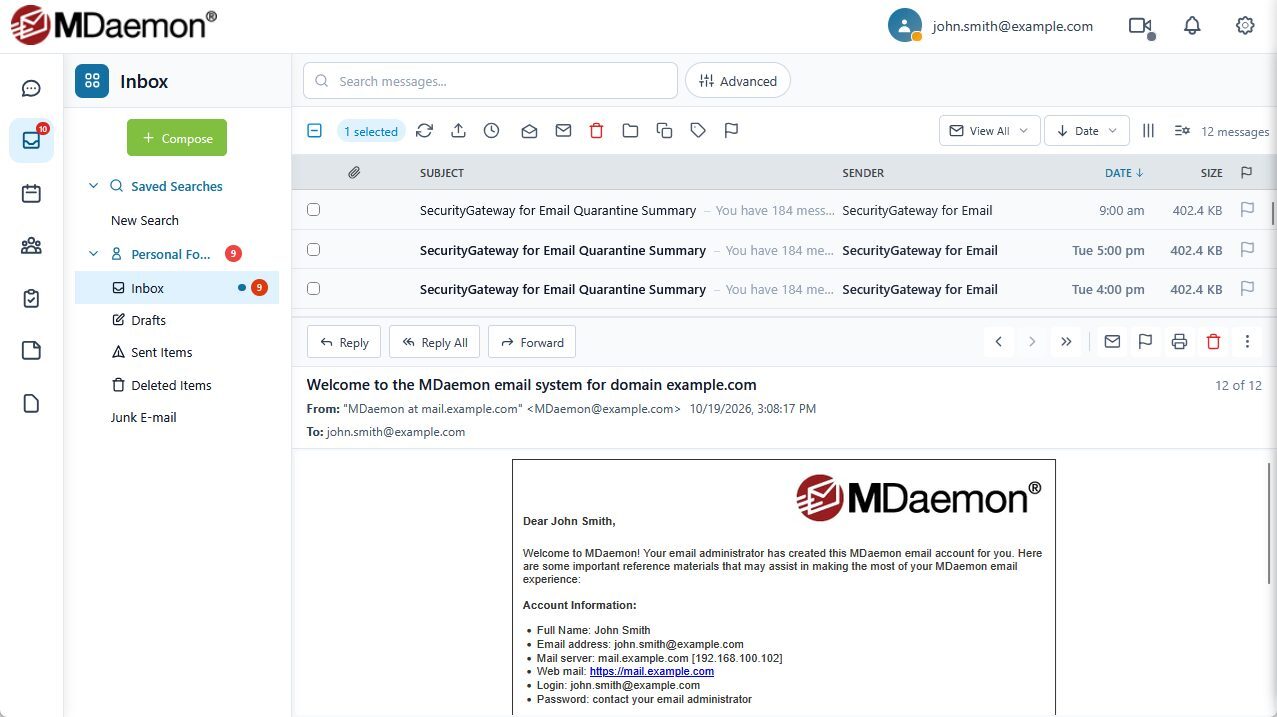
The WorldClient theme has been updated with a new look and improved integration with the Chat view. Webmail and MDaemon Instant Messenger conversations now share a more unified, modern experience.
Other Improvements
MDaemon
- Sequential ticket numbers: The simple message ticketing system now has an option to use sequential ticket numbers instead of random alphanumeric ticket IDs. The option can be enabled in the public folder editor. Ticket numbers are six digits by default, starting at 100001. To change the number of digits, edit \MDaemon\App\CFilter.ini and set [Ticketing] SequenceDigits (the minimum is 4).
- Outbound ticket tagging: The ticketing system can now tag outbound messages with a ticket number, so replies are treated as part of the same ticket. To tag a message, start its subject with {FolderName}. To apply this to an existing ticketing folder, edit the folder, toggle ticketing off and back on, and save. MDaemon will delete and recreate the ticketing rules.
Webmail
- Spam and Not Spam quick actions: The WorldClient and Pro themes now include Spam and Not Spam quick actions on messages in the message list.
- Simpler security setup: In the Pro theme, Security settings now prompt for your current password in a dialog when you set up an Authenticator App, Email Verification, an App Password, or a recovery email. You no longer need to fill in a separate password field first.
- Clickable links in contacts and notes: The WorldClient and Pro themes now turn contact web addresses and PIM notes into hyperlinks.
Remote Administration
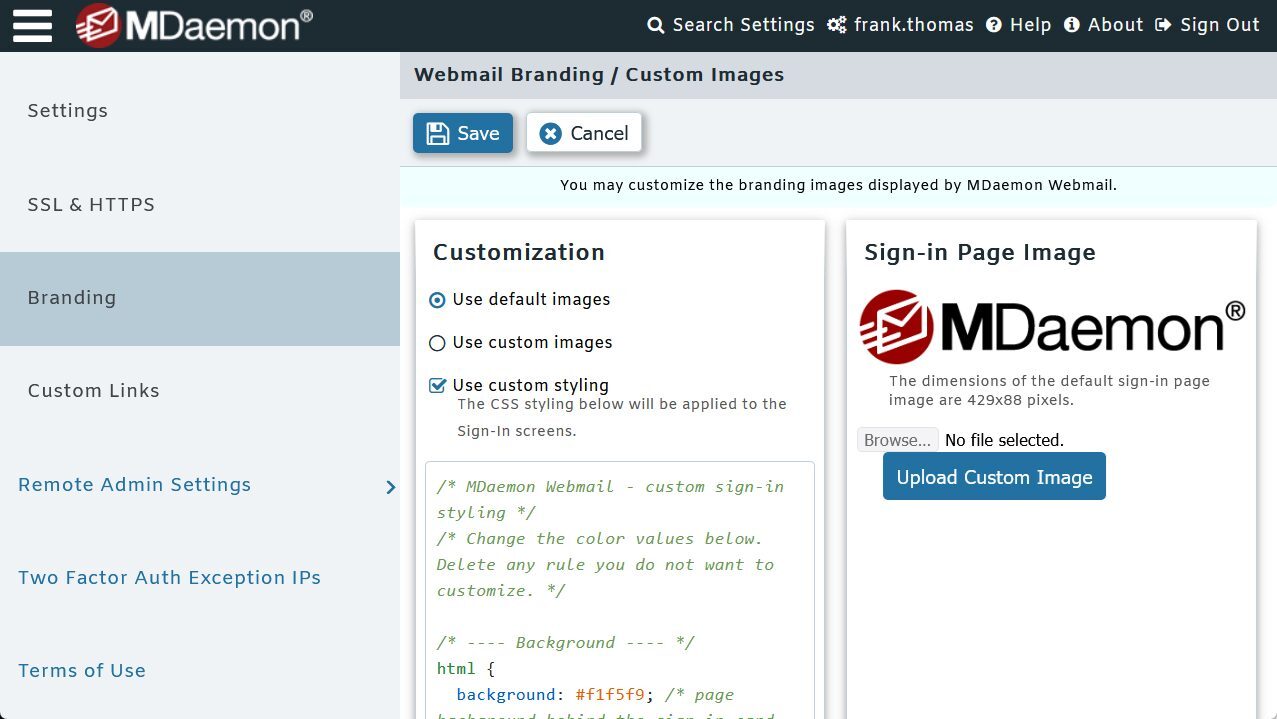
- Sign-In page CSS customization: Administrators can now customize the CSS for the Sign-In pages of Remote Administration and Webmail. The settings can be found under Main | Remote Admin Settings | Branding and Main | Webmail Settings | Branding, respectively. This lets MSPs and IT teams extend their own branding to the sign-in screen.
Get MDaemon 26.5
MDaemon 26.5 is available now. Click here to download your free trial!