Email threats continue to evolve, and so must the tools that protect your organization. With the release of SecurityGateway 12, we've added new features and enhancements that strengthen security, improve performance under heavy load, and give administrators greater visibility and control.
Let’s take a closer look at what’s new in SecurityGateway 12 and how these updates help organizations better defend against modern email threats.
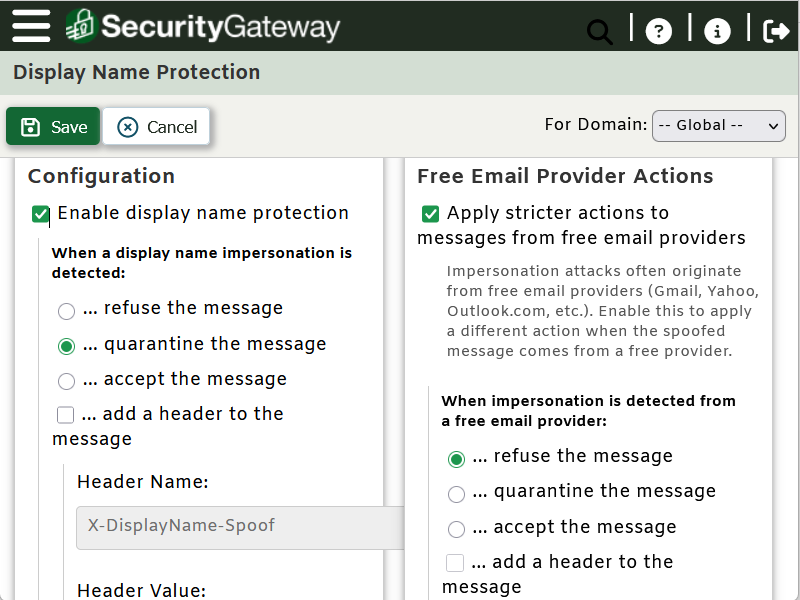
Stop Impersonation Attacks with Display Name Protection
Business Email Compromise (BEC) and impersonation attacks often bypass traditional defenses by exploiting something simple: display names . Attackers mimic the names of executives, vendors, or coworkers to trick recipients into sending money or sensitive information.
SecurityGateway 12 introduces Display Name Protection, a multi-layered defense designed specifically to stop these attacks before they reach inboxes.
Key capabilities include:
- Advanced detection of name similarity
- Management of protected users (such as executives)
- Stricter handling of messages from free email providers
- Flexible response actions (reject, quarantine, warn, tag, or mark as spam)
- Integration with SecurityGateway’s Sieve scripts for advanced workflows
The result: fewer successful impersonation attempts and safer inboxes across your organization.
Better Performance Under Pressure with Database Connection Pooling
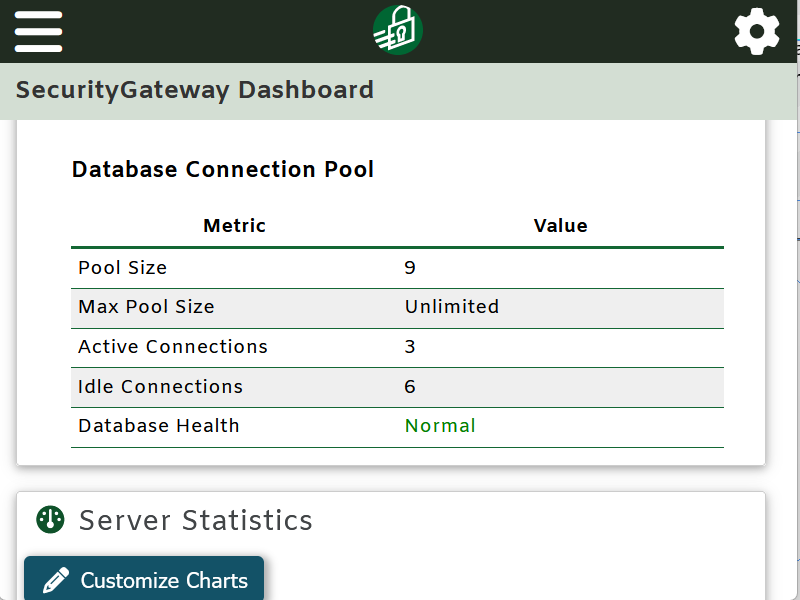
High email volumes can place serious strain on backend systems. Database Connection Pooling in SecurityGateway 12 improves both performance and reliability by reusing existing database connections instead of constantly opening new ones.
This enhancement also adds resilience:
- Automatic retries for transient database failures
- Circuit breaker protection to prevent cascading outages
- Real-time monitoring of pool health from the admin dashboard
- Detailed metrics available through Windows Performance Monitor for external monitoring and alerts
For organizations operating at scale, this means smoother performance and greater stability - even during peak load or partial outages.
On-Demand Quarantine Reports
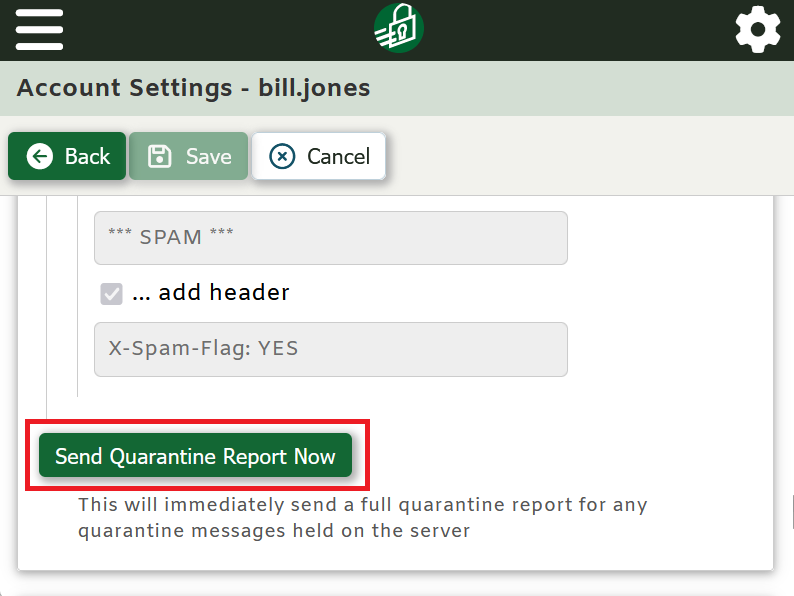
Waiting for scheduled quarantine reports can slow response times. With SecurityGateway 12, quarantine reports can now be sent on demand.
- Users with permission can request their own reports instantly
- Administrators can send reports to individual users at any time
This improvement gives both users and admins faster access to quarantined messages - no more waiting for the next scheduled email.
Lock Down Admin Access with IP Restrictions
Administrative accounts are high-value targets. To reduce risk, SecurityGateway 12 allows administrator login access to be restricted by IP address or IP range.
This added layer of protection ensures admins can only log in from approved locations, helping prevent unauthorized access even if credentials are compromised.
Get Alerts When Database Backups Fail
Backups are only useful if they succeed. SecurityGateway 12 now supports email alerts for failed scheduled database backups, automatically notifying all global administrators when something goes wrong.
Major Improvements to Archiving
SecurityGateway 12 includes several enhancements that make archiving more reliable and flexible:
On-Demand Archiving of Retained Messages
- Archive messages that still exist in the database but haven’t yet been archived
- Ideal for backfilling data when first enabling archiving or recovering missing items
Archive Failure Queue
- Messages that fail to archive (due to disk space issues, unavailable storage, etc.) are now saved to a dedicated queue
- Prevents data loss and makes troubleshooting much easier
Additional Usability and Reliability Enhancements
Other updates added in SecurityGateway 12 include:
- A reorganized user settings page for better usability
- Automatic service recovery to restart SecurityGateway if it stops unexpectedly
- Improved archive search with Sender/Recipient included by default
- An option to exclude external administrators from quarantine summary emails
More Details & Free Trial Download
SecurityGateway 12 includes improvements in email security, performance, and administrative control. For a complete breakdown of all new features and enhancements, be sure to review the full SecurityGateway release notes. Or use the link below to download your free trial!