Many of our customers are using both MDaemon and SecurityGateway™ together for their email security and messaging needs. Both products are loaded with anti-spam, anti-spoofing, encryption & other security features, and while some features are unique to MDaemon or SecurityGateway, many are found in both products, and therefore can be disabled in MDaemon as long as they are enabled in SecurityGateway.
In this post, I will explain which security features to enable or disable in MDaemon and SecurityGateway when both products are deployed together.
Deployment Steps
Note: These deployment steps are based on the following assumptions:
- Both MDaemon and SecurityGateway are installed on separate servers (click here for more information on installing them together on the same machine).
- Both MDaemon and SecurityGateway are installed on the same network.
- Install MDaemon and configure your default domain and administrator account. Instructions can be found in the MDaemon Installation Guide.
- MDaemon Installation Guide (PDF) - Install SecurityGateway (on a separate server if possible) and configure it to use MDaemon as a domain mail server.
- SecurityGateway Installation Guide (PDF)
- Adding a Domain Mail Server in SecurityGateway (from the SecurityGateway product manual)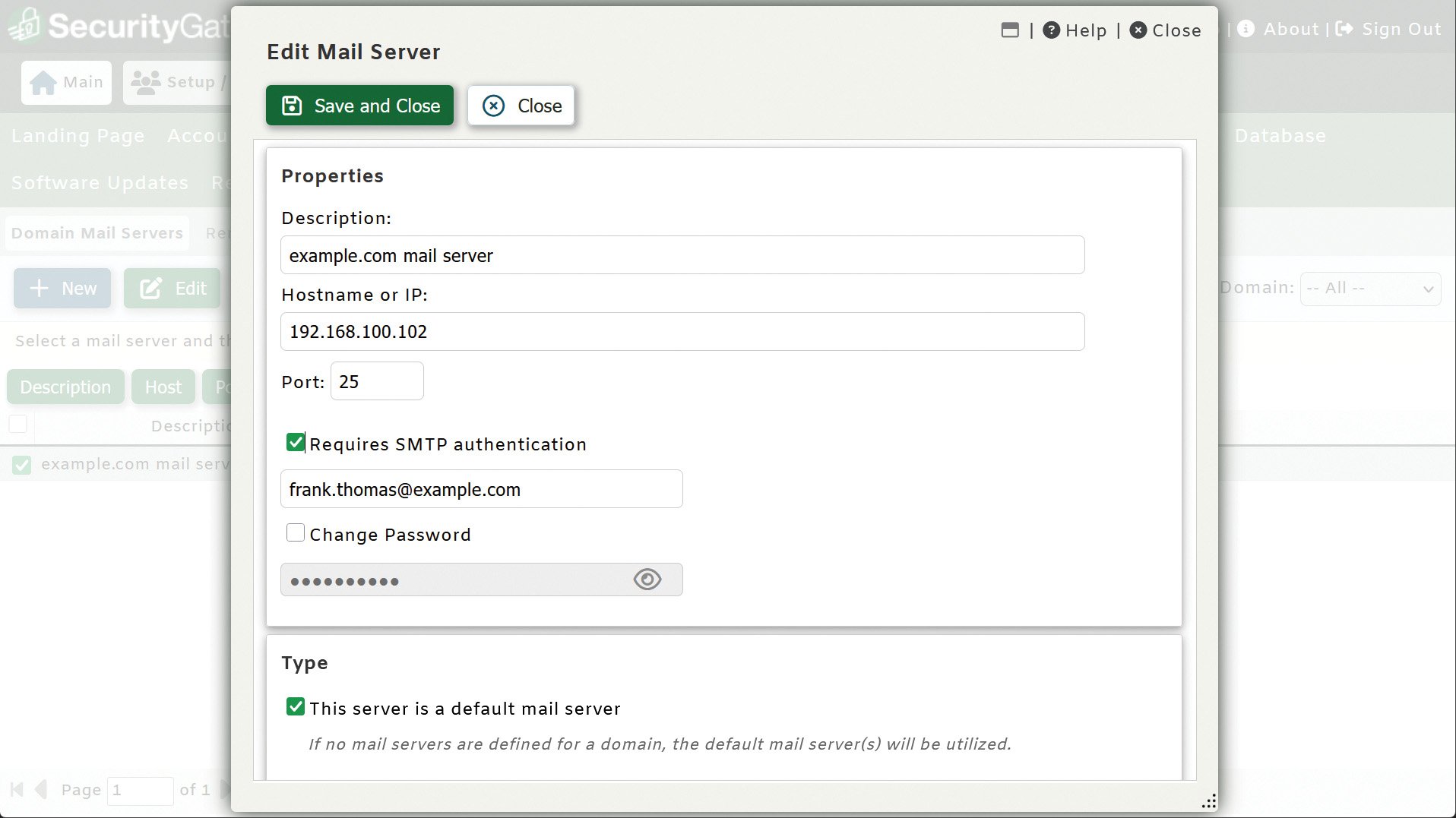
- Configure a User Verification Source in SecurityGateway to verify users on the MDaemon mail server.
- We recommend using MDaemon’s XML API to verify users as explained here in the MDaemon manual.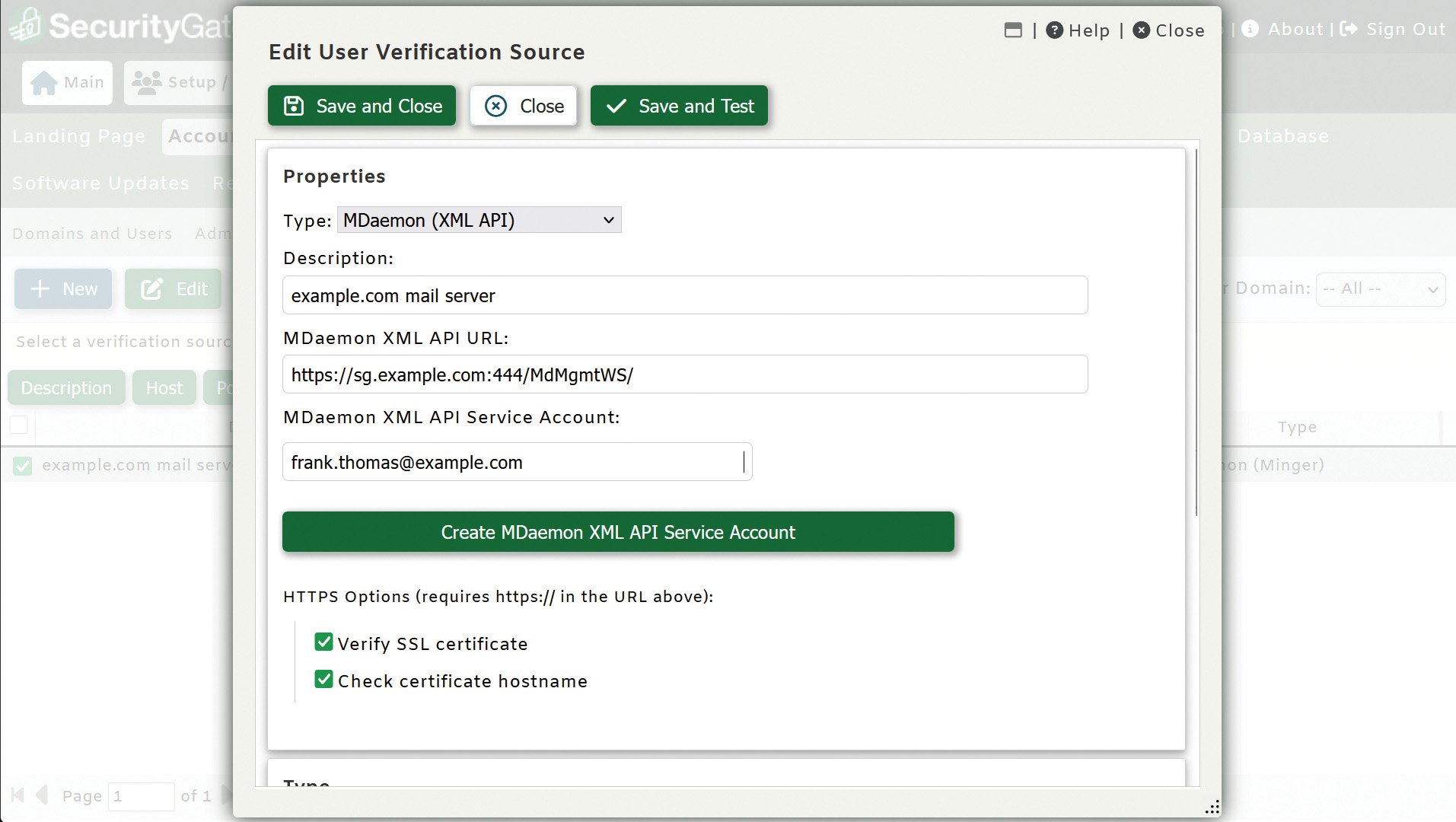
- Configure MX DNS records to point to the SecurityGateway server
- Contact your DNS provider for assistance if needed. - Configure a smart host in MDaemon to send all outbound mail through the server where SecurityGateway is installed.
- Knowledge base article: How to Configure MDaemon to Route Outbound Mail Through a Smart Host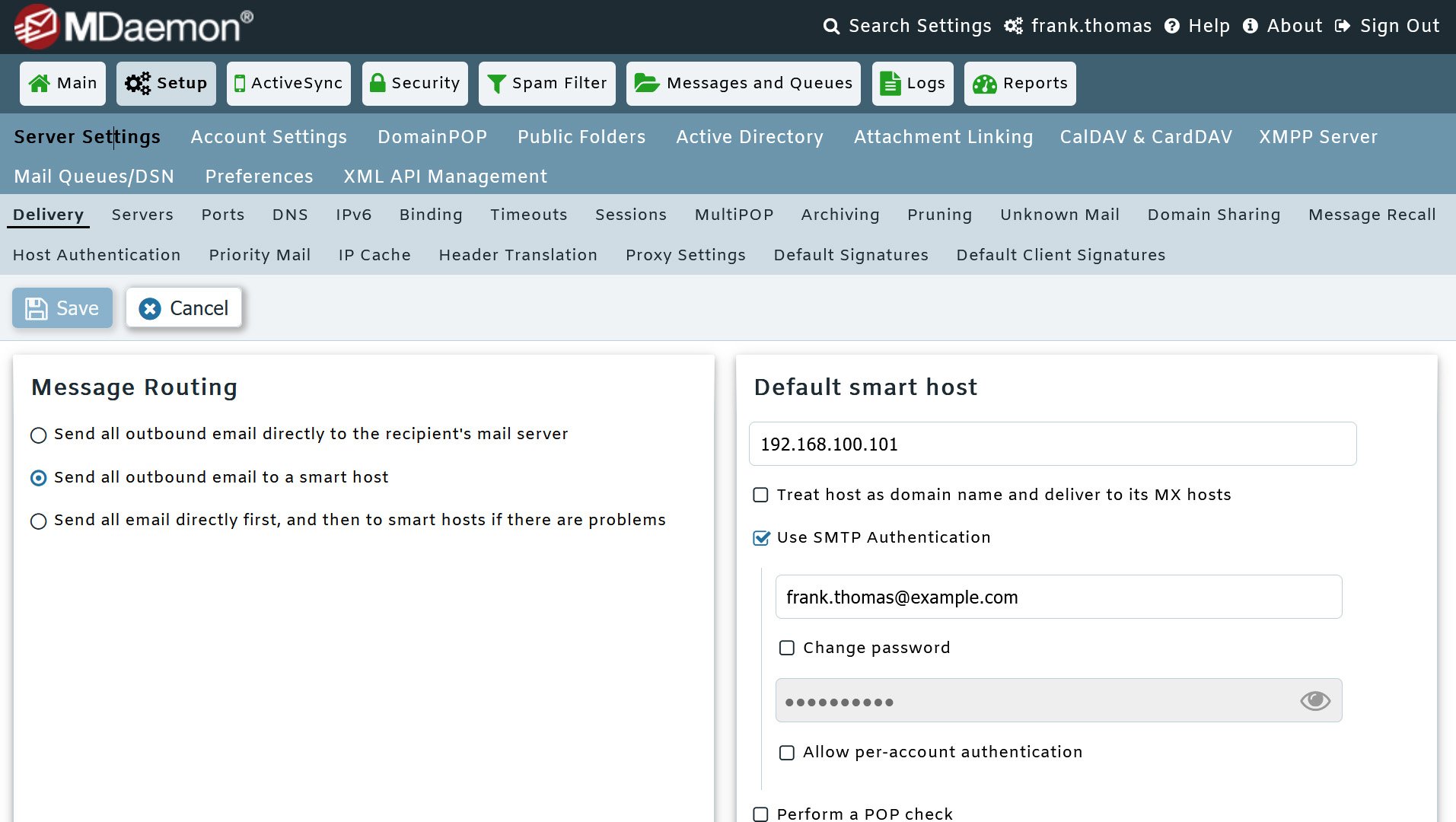
Which Security Features to Enable or Disable when MDaemon & SecurityGateway are Deployed Together
Both MDaemon and SecurityGateway contain many of the same security features, most of which can be disabled in MDaemon. However, there are some security features that are only available in MDameon and some that are only available in SecurityGateway. The following chart explains which of these can be safely disabled in MDaemon, and which ones to leave enabled.
|
Feature |
MDaemon |
SecurityGateway |
Notes |
|
Spam Filter (Heuristic Engine) |
Disable |
Enable |
|
|
Bayesian Learning |
Disable |
Enable |
|
|
Spam Honeypots |
Disable |
Enable |
|
|
DNS-BL |
Disable |
Enable |
|
|
Spamhaus Data Query Service (DQS) |
Disable |
Enable |
|
|
AntiVirus |
Enable |
Enable |
Leaving MDaemon AntiVirus enabled protects the server when emails or files are uploaded to the MDaemon server (for example, when a user imports an external email into MDaemon Webmail). In addition to mailbox scanning, it scans attachments as soon as they are uploaded to MDaemon Webmail, IMAP messages as soon as they are uploaded to the server, and SMTP messages as soon as they are sent. Note: MDaemon AntiVirus is a separately licensed feature of MDaemon. Additional purchase required. |
|
Outbreak Protection |
Disable |
Enable |
|
|
Location Screening |
Enable |
Enable |
|
|
From Header Screening |
Disable |
Enable |
|
|
DNSSEC |
Enable |
Not Available |
|
|
PGP Encryption |
Enable |
Not Available |
|
|
Spam Filter – URIBL |
Not Available |
Enable |
|
|
Spam Filter – Abusix |
Not Available |
Enable |
Requires subscription |
|
Callback Verification |
Not Available |
Enable |
|
|
Data Leak Prevention |
Not Available |
Enable |
|
|
Secure Messaging Portal |
Not Available |
Enable |
|
|
AI Email Classification |
Not Available |
Enable |
|
|
ARC (Authenticated Received Chain) Signing |
Not Available |
Enable |
|
|
RMail Encryption, Track & Prove, and E-Sign (optional) |
Not Available |
Optional |
Requires subscription. Alternatives include the Secure Messaging Portal in SecurityGateway and PGP encryption in MDaemon. |
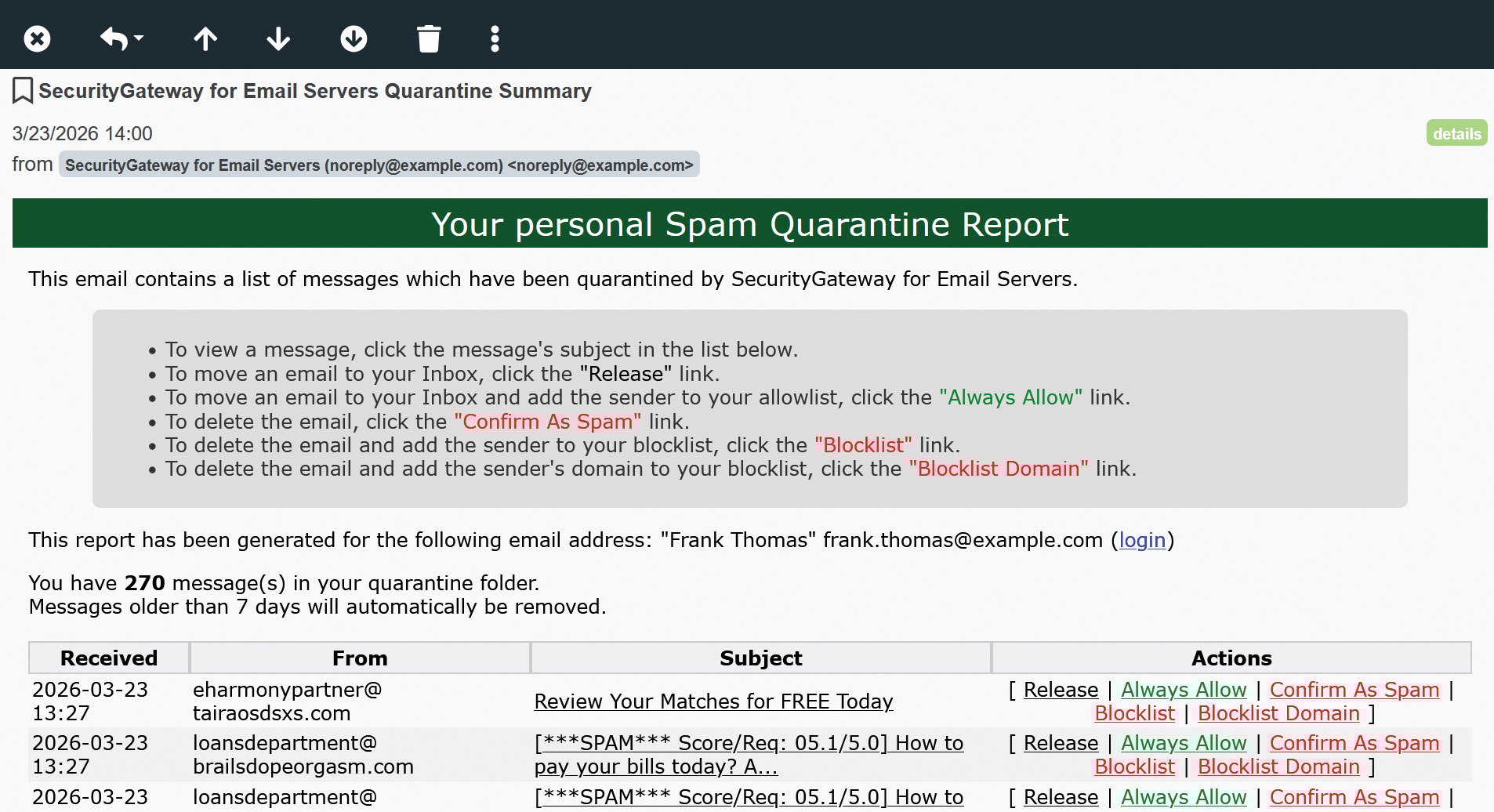
SecurityGateway also includes quarantine summary emails to allow users to view their quarantined messages, and to release them from quarantine or mark the messages as spam or non-spam.
Benefits of Using MDaemon and SecurityGateway Together
When used together, MDaemon and SecurityGateway provide these benefits:
- Improved mail server performance by offloading various processes to SecurityGateway
- Allows users to find & resend missing emails
- Allows users to search their own archive stores
- Archive databases are indexed to improve archive searching
- SecurityGateway keeps a rolling 14-day backup of email sent and received
Ready to get started with MDaemon & SecurityGateway?
Businesses looking to move away from Microsoft Exchange Server and strengthen their email security can save money and time with an email and collaboration platform that’s easy to deploy and maintain. Visit the MDaemon and SecurityGateway downloads pages to get started!