Before email, the mail that piled up in your physical mailbox was full of pamphlets, sales brochures, credit card offers, and product catalogs. Most of it went straight into the trash. Today the equivalent, and often far more dangerous, nuisance is spam. It has evolved from dubious product claims, miracle supplements, and offers of easy money into ransomware, targeted spear-phishing, and business email compromise (BEC) scams that can drain a company's bank account in a single afternoon.
Here's the part that's changed most. For years, the easiest way to spot a scam email was its broken grammar and clumsy wording. That tell is gone. Attackers now use generative AI to write phishing messages that are linguistically perfect, contextually relevant, and personalized to you, produced at scale with almost no effort. Security researchers reported a sharp spike in phishing through 2025, and Kaspersky found that roughly 45% of all email traffic was still spam, with malicious attachments climbing about 15% year over year. The volume hasn't gone away, and the messages that do get through are harder than ever to recognize.
So how can users protect themselves from becoming the next victim? There are numerous spam-fighting tools in MDaemon and other mail servers, but server-side tools are only half of the equation. The other half is user education. With that in mind, here are 10 things you can do to reduce the amount of spam you receive and avoid the threats hiding inside it.
1. Unsubscribe, but only from senders you actually recognize. How often have you been asked for your email address at checkout or while placing an order online? In either case, you may have ended up on a company's mailing list. When email from a legitimate, recognizable company arrives, it's fine to open it and click the Unsubscribe link. The important caveat in 2026: do not unsubscribe from messages sent by senders you don't recognize. With spam, the "unsubscribe" link is often there to confirm that your address is live and that a real person reads it, which gets you more spam, not less, and can lead to a malicious site. If you're not completely sure where a message came from, report it as spam instead of unsubscribing.
2. Create a secondary email address, or use aliases. While we're on the subject of retailers having your address, consider keeping a second address used solely for store records, order confirmations, and sign-ups. That keeps vendor solicitations out of your primary inbox. Many email platforms now make this even easier with aliases, "plus addressing" (e.g., yourname+shopping@domain.com), or masked-address features like Apple's Hide My Email, all of which let you hand out a disposable address you can cut off the moment it starts attracting spam.
3. Keep your email address private. If your address is visible on social media (Facebook, X, LinkedIn, Instagram), it's also visible to spammers, who run automated tools that scrape public addresses and add them to mailing lists. If you must post an address publicly, mask the format (for example, write "name at domain dot com" instead of using the @ symbol). With the prevalence of Business Email Compromise (BEC) attacks, this matters even more for executives and finance staff, since scammers use details harvested from public profiles to craft convincing, well-targeted spear-phishing emails.
4. Before you join a mailing list, check whether the owner can sell your address. If the list has a privacy policy, read it and confirm your information can't be shared with or sold to third parties.
5. Don't reply to ANY spam or unsolicited marketing message. Most spam uses forged sender (return-path) addresses, so a reply almost never reaches the spammer anyway. And replying to a legitimate-but-unwanted marketing message just confirms your address is valid, which invites more of the same.
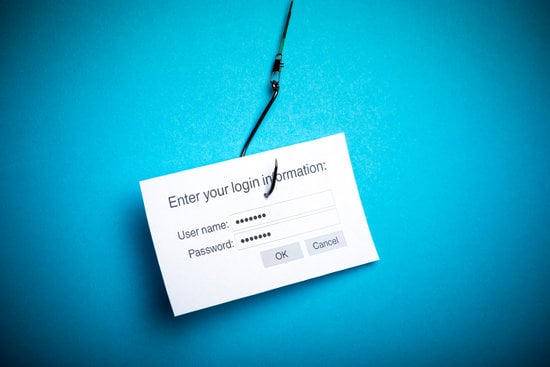
6. Don't click links, and be especially wary of QR codes. Clicking a link in a spam email can identify you to the spammer as a live recipient, and can lead to malware or a credential-stealing page. A newer twist is "quishing," phishing that hides the malicious link inside a QR code, often in an attachment or image, specifically to slip past filters and your own instincts. Treat an unexpected QR code in an email the same way you'd treat an unexpected link: don't scan it unless you're certain of the source.
7. Block images by default. Even if you never click a link, an image that loads automatically can signal to spammers that your address is active. Spammers embed tiny, often single-pixel "tracking" images for exactly this purpose. Configure your email client to block images by default, and choose to display them only when you're sure the sender and content are legitimate.
8. Make your email address harder to guess. Spammers run dictionary attacks that guess common addresses (info@, john.smith@, and so on). A less predictable address is harder to land on by brute force.
9. Don't fall for scams, and know what they look like now. The classic "anonymous stranger promises you a fortune for a small up-front payment" scam, the old Nigerian prince or advance-fee scheme, is still around, but it has evolved. Today's versions are more patient and more costly: fake cryptocurrency "investment" opportunities (often called "pig butchering," where a scammer builds trust over weeks before the fake payout never comes), romance scams, and fraudulent job offers aimed at remote workers. The common thread hasn't changed: if someone you've never met contacts you out of the blue with an offer that depends on your money, your trust, or your urgency, it's a scam. The FTC's consumer advice site tracks the current variants.
10. Never forward chain email from people you don't know. You've seen them: the public service announcement, the petition, the "forward this to ten friends" plea. Don't. Forwarding chains is a prime way for spammers to harvest fresh, valid email addresses.
Blocking junk email isn't just the mail server administrator's job. A well-informed user is the difference between spam that's manageable and spam that's out of control, and in the AI era that informed instinct matters more than ever, because the messages no longer announce themselves with obvious mistakes. A few extra habits go a long way here too: turn on multi-factor authentication so a stolen password alone can't compromise your account, and periodically check whether your address has turned up in a known data breach. Combined with the ten tips above, that vigilance will help keep your inbox clean and keep you from becoming the next phishing or malware victim.